1. Start from the BAS command centre
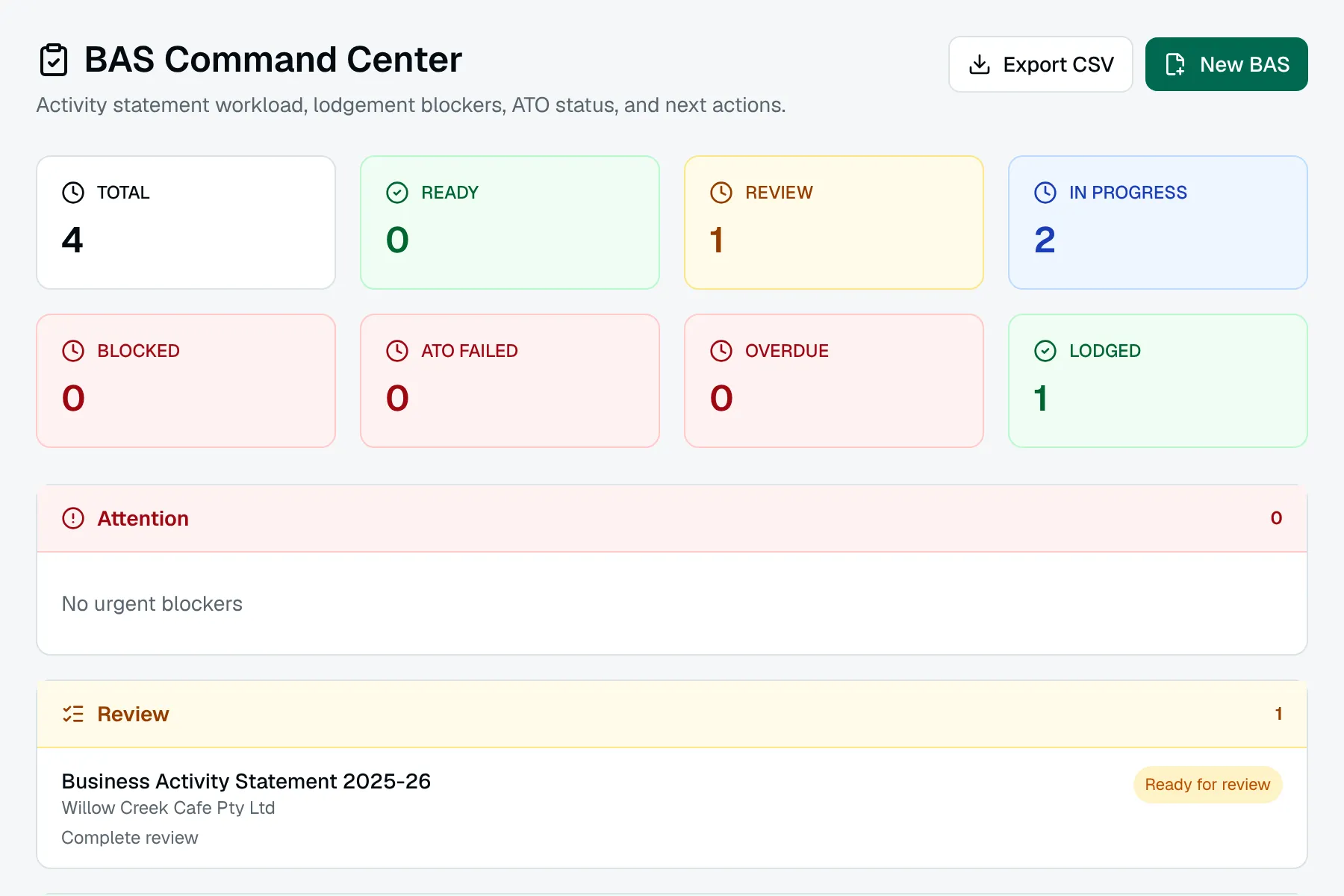
Open BAS from the menu. The command centre counts statements by state (ready, in review, in progress, blocked, overdue and lodged) and lists each one with its entity, period, due date, progress, diagnostics and next action. Choose New BAS to create a statement, or open one from the queue.
The same editor serves business and instalment activity statements for periods in FY2025, FY2026 and FY2027. The statement header shows the entity and the period it covers.
2. Choose the GST reporting option
The first question on the statement is the GST reporting option the client uses: full reporting, Simpler BAS or a GST instalment. The labels that follow depend on the answer.
- Full reporting asks for G1 total sales, G2 export sales, G3 other GST-free sales, G10 capital purchases and G11 non-capital purchases, and offers the GST calculation worksheet.
- Simpler BAS asks for the smaller set of GST labels.
- A GST instalment uses G21, the ATO instalment amount, or a varied amount at G23 with the reason for the variation at G24.
3. Use the GST calculation worksheet
For full reporting the editor includes the GST calculation worksheet. It takes GST-inclusive amounts and works through G4 to G9 for sales and G12 to G20 for purchases with its own formulas: input taxed sales, adjustments, total sales subject to GST, GST on sales at G9, purchases without GST, total purchases subject to GST and GST on purchases at G20.
4. PAYG withholding and PAYG instalments
PAYG withholding has four entries: W1 total salary, wages and other payments, W2 amounts withheld from them, W4 amounts withheld where no ABN was quoted, and W3 other amounts withheld. W5, the total withheld, is added up for you and carried to label 4.
For PAYG income tax instalments, choose whether the client pays the instalment amount or uses the instalment rate. With the rate, enter T1 instalment income; the ATO rate goes at T2, and a varied rate at T3 needs a reason at T4. The editor offers the ATO's own list of variation reasons, and the instalment carries to 5A. A credit from an earlier variation goes at 5B.
5. FBT instalments and the amounts owing
If the statement includes an FBT instalment, answer yes to the question in that section and complete F1, or F2 and F3 with a reason at F4 if you vary it. The instalment carries to 6A.
The last section summarises the statement: GST on sales at 1A and on purchases at 1B, PAYG withheld at 4, the PAYG and FBT instalments, wine equalisation tax and luxury car tax where they apply, deferred GST on imported goods, then 8A the total owing, 8B the total the ATO owes, and 9 the payment or refund.
6. Diagnostics and review
Run diagnostics from the Diagnostics tab and resolve any errors. When the statement is complete, choose Begin Review in the editor header. The reviewer assigned to it sees the same statement, the diagnostics and a review checklist, and either approves it or returns it to the preparer with comments.
Approval is bound to the exact figures approved. Change a label afterwards and the approval no longer matches, so the statement goes back through review. The same applies to the client's declaration, which can only be requested once the statement is approved. The review and declaration guide covers both steps.
7. Revisions
To correct a statement that has already been lodged, prepare a revision against the original. The revision carries its link to the original statement, and goes through the same review and declaration as any other.
8. Lodgement and the ATO
Lodging an activity statement from Cassandra Tax is not live. Cassandra Research Pty Ltd has asked the ATO for production access to submit and retrieve activity statements and to list lodgement obligations; that access has not been granted, and no business message has yet been accepted by the ATO's test environment. Until then, approve the statement here and lodge it through your existing channel.
Two features wait on that access. Pull Activity Statements on the Lodgement Tracker would list each client's outstanding statements from the ATO, and retrieving a statement would pre-fill W1 and W2 from the Single Touch Payroll amounts the ATO holds, showing any difference from what you entered. The lodgement readiness guide explains the checklist each statement has to pass.