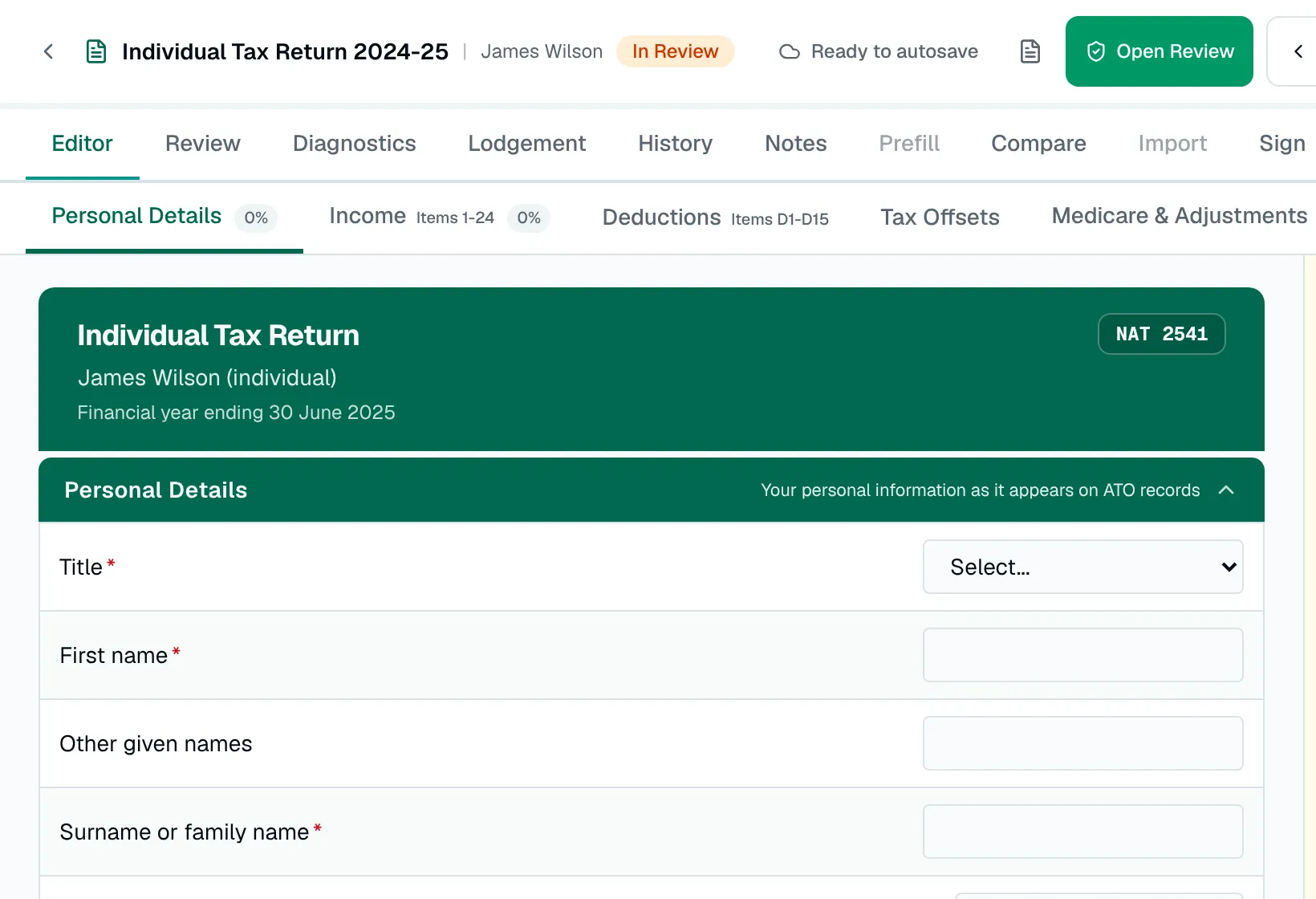
How an individual return moves through the practice
You create the return from the client's individual entity, choose the income year, and open the editor. The editor follows the ATO's individual return: personal details first, then the questions every return answers, the income items, deductions, offsets, Medicare levy and surcharge, income tests and any study loan repayment. Each section shows how much of it is complete, and the editor saves as you type.
When the preparer is done, the return goes to review. A reviewer is assigned, works through the checklist and the indicative tax estimate, and approves or sends it back. Only an approved return can be sent to the client for their declaration, and the declaration is sealed against the exact return the reviewer approved. Change a figure afterwards and both approval and declaration have to be given again. The review and declaration guide walks through each step.
Schedules built from the return, not typed twice
An individual return with income or deductions is lodged with schedules that itemise them. Cassandra Tax builds four of them from the rows you enter in the return:
- Income Details: salary and payment summaries, government payments, interest, dividends, trust and partnership distributions, foreign income and the related offsets.
- Deductions: each claim from D1 to D10 and D12 to D15 with its description and claim type.
- Rental Property: each property's location, your client's share of ownership, and the rent, interest, capital works and other deductions that share applies to.
- Capital Gains: asset categories, capital losses, the discount and concessions, carried through to the capital gains item.
Each schedule is built and checked against the ATO's official schema for that schedule. If something cannot be itemised, the return shows a named blocker that says what is missing, and the return cannot pass validation until it is resolved. The individual return guide explains the rows behind each schedule.
Business income, rent and capital gains
Item 15 covers primary and non-primary production business income, payment summaries with tax withheld, personal services income tests and business losses. Rental properties are entered once each, with the owner's percentage applied to every amount. Capital gains come from a worksheet that ties to the capital gains item, so a difference between the two is shown rather than lodged.
What is checked before review
- Required fields and section completion, with the label of every field still empty.
- Diagnostics you can run at any time, listing errors, warnings and information items.
- The ATO's published validation rules for the return, where they can be decided from the return alone. Rules that cannot be decided locally are reported as undecided, never as passed.
- An advisory pre-lodgement review that ranks returns by risk. It is rules-based, not generative AI, and it never replaces the reviewer.
What is not live
Individual tax returns: common questions
Which income years can I prepare?
FY2025 is the reviewed editor. An FY2026 individual return can be opened, but it is a preview and is not treated as ready for lodgement.
Does the tax estimate replace the ATO's assessment?
No. The estimate on the review page is indicative. It covers the main rates, offsets, Medicare levy and surcharge, and study loan repayments, and it says which adjustments it leaves out. The ATO's assessment is authoritative.
Can I lodge the return from Cassandra Tax?
Not today. The return can be prepared, reviewed, signed and checked, but the software refuses to send annual returns to the ATO.