Inviting a client
From the client's page, send a portal invitation to the email address on file. The invitation is a short-lived link for that entity, so a client with several entities sees only the one you shared. Clients never create a practice account and there is no public sign-up for them.
Requests, organisers and messages
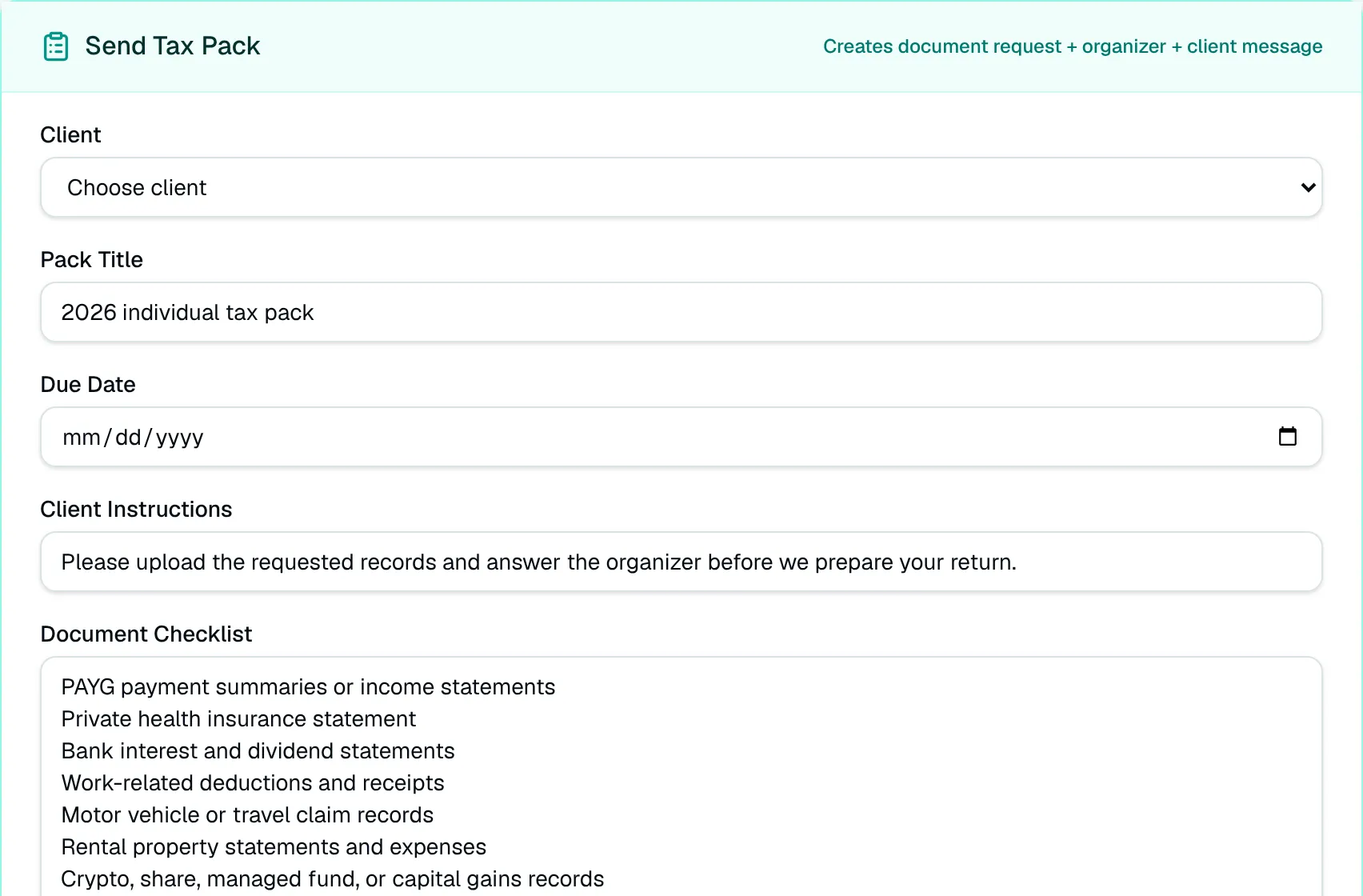
The practice side of the portal has four tools. A document request lists the items you need with a due date and instructions. An organiser is a set of questions the client answers. A message starts a thread that the client can reply to from the portal, and their replies arrive in the practice's Messages. A tax pack sends all three together for the usual annual individual collection.
What the client sees
The portal has four sections for the entity the link was sent for: the returns your practice has shared, documents shared with the client, messages, and tax organisers. Each request shows what is needed and by when. Clients cannot see other entities, other clients or anything the practice has not shared with them.
On the practice side, the Client Portal page shows how many returns are active, how many are awaiting a signature and how many are lodged, with the outstanding requests and open organisers listed underneath.
The client declaration
Once a reviewer approves a return, the Sign tab sends the declaration to the client. With the built-in signing, the client opens a secure link from their email and confirms their identity with a one-time code sent to the same address before signing. The signature is sealed against the exact return data the reviewer approved, so if the return changes afterwards the declaration no longer matches and a new one is needed.
Where DocuSeal or Zoho Sign is set up for the service, the declaration can be sent through it instead. The E-signatures page lists every request across the practice as pending, signed or declined. The portal guide and the declaration guide have the details.
Client portal and signing: common questions
Do clients need a password?
No. Clients enter through the private link their accountant sends. The link expires, and a new one can be sent from the client's page.
Can a client sign before the return is approved?
No. The Sign tab is blocked until a reviewer approves the return.
Are signed copies stored with the return?
The sealed declaration is recorded against the return. Filing a provider's signed PDF also needs document storage, which depends on malware scanning being configured.